For twenty years, the newest email sat at the top of the inbox.
That's changing. Gmail's AI Inbox uses Google's Gemini AI to decide which emails matter most to each person, and puts those first.
For email marketers, that raises a big question. Will your newsletter still get seen? Here's what the AI Inbox is, how it works and what you can do about it.
What Is Gmail's AI Inbox?
Google announced the AI Inbox in January 2026. It's a new view in Gmail, sitting right above the normal Inbox, powered by Gemini.
Instead of a list sorted by time, it gives people a personal briefing. It highlights to-dos, important messages and what needs a reply, and pushes less important mail further down.
Google expanded it at its I/O event in May, adding Gmail Live, a way to talk to your inbox and ask questions out loud. It has been rolling out step by step, first to testers, then to paid Google AI subscribers and, more recently, to Workspace business users.
Who Has It Right Now?
Not everyone, yet. According to reports, personal Gmail users need a paid Google AI plan to get the AI Inbox, while Workspace business accounts are now getting it too.
And it's a separate view. The classic Inbox is still there for now.
But this is clearly where Gmail is heading. Smart marketers are preparing now, while most of their competitors are still ignoring it.
Why This Matters for Small Businesses
Gmail is the biggest email service in the world, with well over a billion people using it. For most small businesses, a large share of the list sits on Gmail addresses.
Email is also one of the few marketing channels you truly own. Social media reach goes up and down with every algorithm change, and ads cost more every year. Your list is yours.
That's why changes inside Gmail deserve attention. If the AI Inbox decides your emails aren't important, a big part of your audience may simply stop seeing them, even though they never unsubscribed.
The good news is that the fix doesn't need a big budget. It needs better habits.
How the AI Inbox Changes Email Marketing
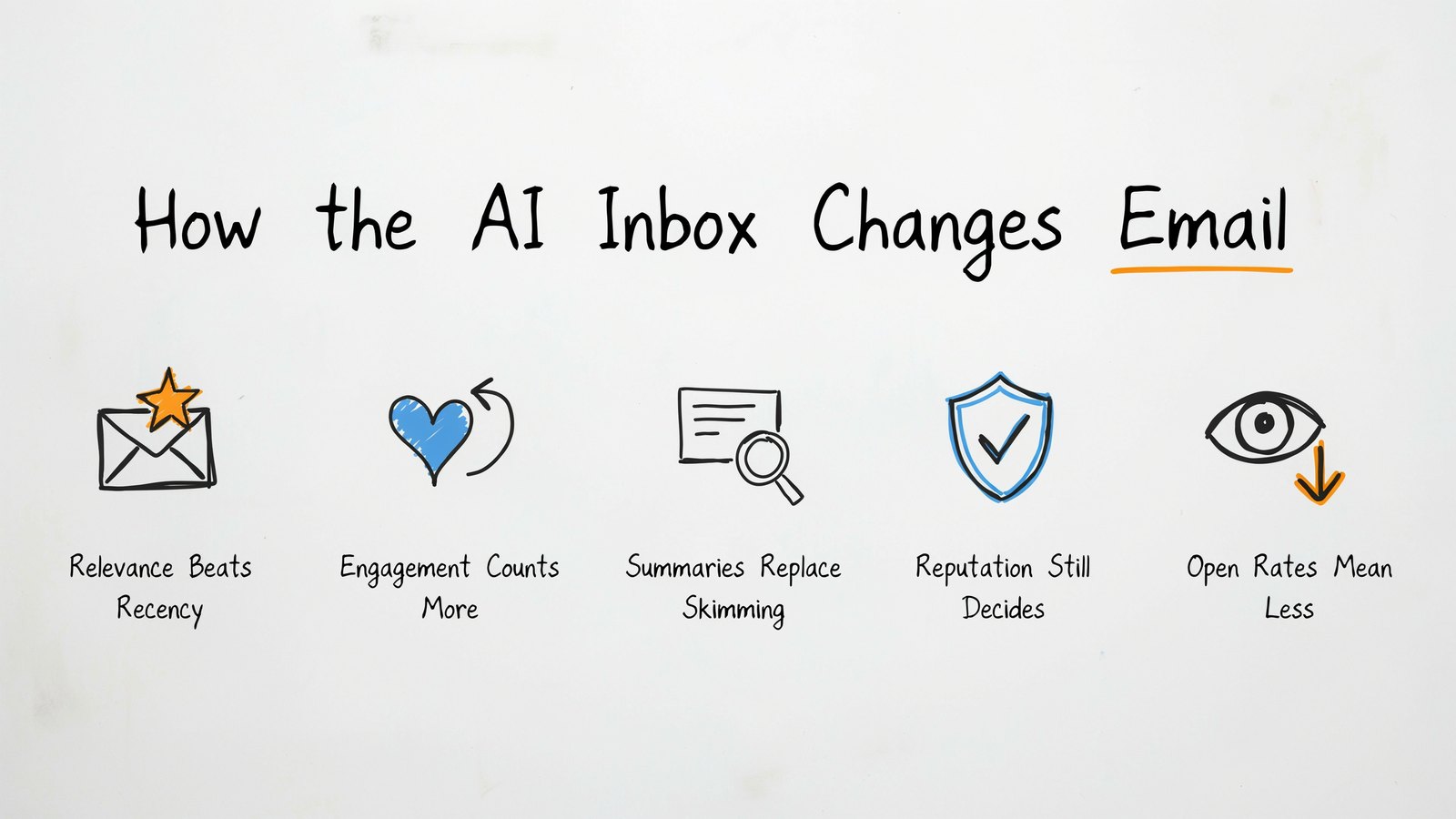
Relevance Beats Recency
Sending at the "perfect time" so you land on top matters less. What matters more is whether the AI thinks your email is useful to that person.
Engagement Counts More Than Ever
If someone always opens, clicks and replies to your emails, the AI learns that you matter to them. If they always ignore you, you slide down.
Summaries Replace Skimming
Gemini can summarise emails and pull out key points. Some readers may see a short summary before they ever open your full message.
Sender Reputation Still Decides
Before any of this, your email has to get past the spam filter. Authentication and a clean list are still the foundation.
Open Rates Mean Less
With AI reading and summarising mail, and privacy features already inflating opens, open rates become an even weaker signal. Clicks, replies and sales tell the real story.
10 Ways to Keep Your Emails Seen
1. Only Email People Who Want to Hear From You
This is the big one. An AI that ranks by relevance will reward senders whose readers actually care.
Use clear opt-ins, never buy lists, and make it easy to unsubscribe. A smaller list of fans beats a big list of strangers.
2. Clean Your List Regularly
Remove bounced addresses and people who haven't opened or clicked in months. Before removing them, send a short win-back email asking if they still want to hear from you.
Inactive subscribers drag down your engagement, which is exactly what the AI watches.
3. Authenticate Your Domain
Since 2024, Gmail and Yahoo have required bulk senders to set up SPF, DKIM and DMARC and to offer one-click unsubscribe. In 2026, these are the bare minimum. Without them, the AI Inbox never even sees your email.
4. Write Subject Lines That Say What's Inside
Vague or tricky subject lines are risky when an AI is deciding what matters. Be clear and specific. "Your October sales report" or "3 recipes for busy weeknights" tells both the reader and the AI exactly what to expect.
5. Put the Main Point First
If Gemini summarises your email, the first few lines carry the most weight. Lead with your key message or offer. Don't bury it under a long intro or a big header image.
6. Write Like a Person
Emails that read like a note from a real person tend to get more replies and feel more relevant. Use a real sender name, a friendly tone and plain language.
7. Ask for Replies
Replies are one of the strongest signs that an email matters. Ask a simple question at the end of your newsletter. "What are you working on this month?" Every reply teaches Gmail that you're someone this reader talks to.
8. Segment and Personalise
Send the right message to the right group. New subscribers, buyers, fans of a certain topic. Relevant emails get engagement, and engagement gets you seen.
9. Don't Rely on Images Alone
AI reads text. An email that's one big image gives it little to understand. Use real text for your main message, with images as support.
10. Measure Clicks, Replies and Sales
Stop judging campaigns by open rate. Track clicks, replies, conversions and unsubscribes. Those numbers show whether your emails really matter to people.
What Kinds of Emails Will Do Best?
| Email Type | Likely Impact | Why |
|---|---|---|
| Order and account emails | Strong | Clearly important and expected |
| Newsletters people love | Strong | High engagement and replies |
| Personal, conversational emails | Good | Feel relevant and get replies |
| Generic promotions to everyone | Weak | Low engagement, easy to deprioritise |
| Emails to unengaged lists | Very weak | The AI learns readers don't care |
This is our reading of how a relevance-ranked inbox is likely to behave, based on how Google describes it. The pattern is simple. Useful, wanted email wins.
A Simple Before and After Example
Let's say you run a small bakery and send a weekly newsletter.
The old way. Subject line "Weekly Update #47". A big banner image at the top. A long story about your week. The discount code sits at the very bottom, and the email goes to every address you've ever collected, including people who haven't opened anything in a year.
To an AI that ranks by relevance, this email looks weak. The subject says nothing. The first lines say nothing. And many of the people receiving it have shown they don't care.
The new way. Subject line "20% off sourdough this weekend only". The first line repeats the offer and the dates. A short, friendly note from the owner follows, with a question at the end, "What bread should we bake next month?" It goes only to people who opened or clicked in the last 90 days, while the rest get a separate win-back email.
Same bakery, same offer. But the second email is clear, personal and sent to people who want it. That's exactly the kind of email an AI Inbox is built to surface.
Common Mistakes to Avoid
- Blasting your whole list every time. Unengaged readers teach the AI to ignore you.
- Clickbait subject lines. "You won't believe this" tells the AI nothing and annoys readers.
- Hiding the unsubscribe link. Frustrated readers hit "Report spam" instead, which hurts far more.
- Sending from a no-reply address. It blocks the replies that prove your email matters.
- Sending too often. Daily promotions to people who never asked for them push you down fast.
- Ignoring your numbers. If clicks and replies keep falling, something needs to change.
None of these are new mistakes. The AI Inbox just makes them more costly.
A Simple Newsletter Template for 2026
If you're not sure where to start, try this shape for your next email.
- Subject line. Say exactly what's inside in under 50 characters.
- First two lines. Your main point or offer, stated plainly.
- Body. Two or three short paragraphs that add value, a tip, a story or an update.
- One clear call to action. One link or button, not ten.
- A question. Something easy to answer that invites a reply.
- Sign-off. Your real name, so it feels like a note from a person.
Short, clear and personal. It works for people, and it works for AI.
Don't Panic, This Is Good News for Good Senders
If you send helpful emails to people who asked for them, the AI Inbox can actually work in your favour. It filters out the noise from careless senders and makes room for the ones readers value.
The marketers who'll struggle are the ones blasting the same promotion to everyone, every day. Don't be that sender.
Own Your List With Sendster
Doing all of this is easier when you control your own email platform.
Sendster is our own self-hosted newsletter and email marketing app at Teknikforce. You install it on your own website and send through Amazon SES, any SMTP service or even Gmail and Google Workspace for small lists.
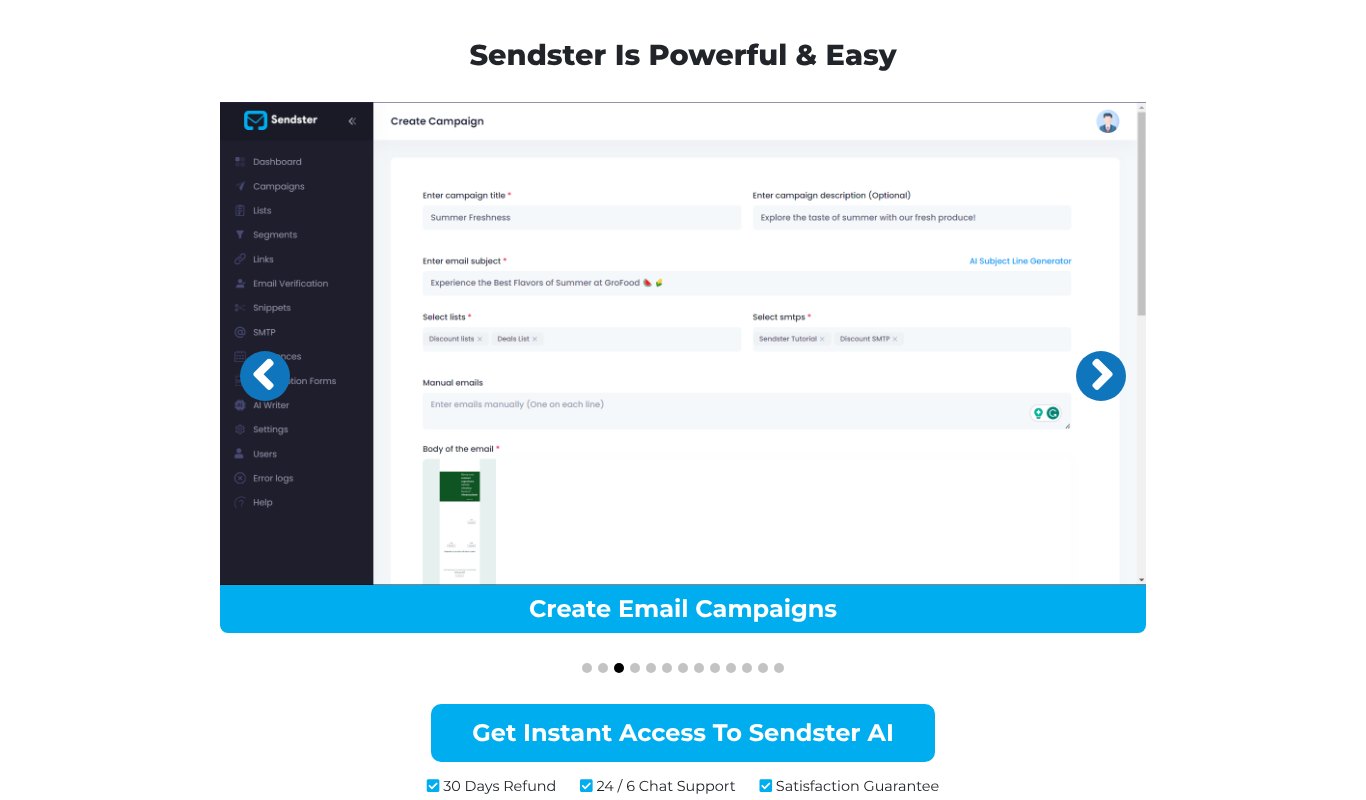
- Built-in email verification removes bad addresses and spam traps as they come in, keeping your list clean.
- AI email writer helps with clear subject lines, headlines and full emails.
- Lists, tags and segments so you can send the right message to the right people.
- Automations with sequences, tags, webhooks and Zapier.
- Analytics for clicks and campaign results.
- Unlimited emails, so sending costs stay tiny, around $1 for 10,000 emails on Amazon SES.
Pricing $5.58 a month, paid yearly ($67 a year), or $6.99 month to month, for one site and up to 5,000 subscribers. Pro is $9.99 a month for unlimited subscribers. Every plan has a 30-day refund guarantee.
Quick Checklist for the AI Inbox
- SPF, DKIM and DMARC set up
- One-click unsubscribe in every email
- Inactive subscribers cleaned out
- Clear, specific subject lines
- Main point in the first few lines
- Real sender name and friendly tone
- A question that invites replies
- Segments for different reader groups
- Clicks and replies tracked, not just opens
Final Thoughts
Gmail's AI Inbox is a big shift, but not a scary one. It rewards exactly what good email marketing has always been about. Sending useful emails to people who want them.
Clean your list, authenticate your domain, write clearly and start conversations with your readers. Do that, and the AI will keep putting you near the top.
And if you want full control of your list and your sending costs, give Sendster a try.
FAQs About Gmail's AI Inbox
Does the AI Inbox replace the normal Gmail inbox?
Not right now. It's a separate view that sits above the regular Inbox. People can still see their mail in time order.
Will my marketing emails go to spam because of the AI Inbox?
The AI Inbox ranks emails that already reached the inbox. Spam filtering is separate. But both reward the same things, a good reputation and engaged readers.
Should I still track open rates?
Keep an eye on them, but don't make decisions based on opens alone. Clicks, replies and sales are far more reliable.
Does this affect Outlook and other inboxes?
Other email apps are adding AI features too, like Outlook's Focused Inbox and AI summaries. The same habits help everywhere.
How often should I clean my email list?
A light clean every month and a deeper one every three months works for most small senders. Remove bounces right away, and move people who haven't engaged in 90 days or more into a win-back sequence.
Is it worth sending at a certain time of day anymore?
Timing still helps a little, since people are more likely to act when they're at their desk or on their phone. But with the AI Inbox, being relevant matters far more than landing at the top at 9 a.m.